Personal finance
PlutusFD personal finance dashboard
A local web dashboard for my savings and investments. It tracks stocks, ETFs, bonds, crypto, gold and cash in EUR, PLN and USD, with live prices, NBP exchange rates, news and an AI assistant.
PlutusFD is a dashboard I built for my own savings and investments. It runs on my computer and opens in the browser. It shows what I own, what it is worth today in euros, złoty and dollars, and how close I am to my monthly savings goal.
Why I built it
I used to track everything in an Excel spreadsheet: shares on the Warsaw and Frankfurt exchanges, ETFs, bonds, some crypto, physical gold and cash, bought in three currencies. The spreadsheet could not show current prices. Converting each purchase at the exchange rate of its own day was tedious. It also gave me no quick picture of the whole portfolio. I wanted one place for the numbers and their context, and I wanted the data to stay on my own machine.
What it does
- Asset portfolio. Each purchase is stored as a separate lot. The app looks up the official NBP exchange rate for the purchase day, and for weekends and holidays it uses the last rate published before that day. It then shows the value of every lot in EUR, PLN and USD, next to the current price and the gain or loss.
- Prices and economic context. Current prices come from Yahoo Finance. Exchange rates and the reference interest rate come from the NBP API, the Polish CPI from Statistics Poland and HICP inflation for Poland and the euro area from Eurostat.
- Charts. Composition by asset type, opening versus current value per currency, a gauge for this month’s savings and a savings-over-time chart against the goal, all drawn with Chart.js.
- News. For any chosen asset, headlines from NewsData.io, Alpha Vantage or Tavily.
- AI assistant. A chat window using the Perplexity API that receives the portfolio as context. It can analyse the portfolio, suggest rebalancing or discuss risk.
How I built it
The front end is plain HTML, CSS and JavaScript. The back end is a small Node.js server with no framework. It serves the page, proxies the external APIs and stores the portfolio in SQLite through Node’s built-in node:sqlite module. With SheetJS, I can import my old spreadsheet once, with a preview of every change first, and export a readable Excel backup. The database is backed up automatically every day and before each import.
The API keys are encrypted with AES-256-GCM, using a key derived from a master password with PBKDF2. The unlock session ends after 30 minutes. The app starts from a single console window. It has a status line, a few commands (status, backup, backups) and a log file for each day. Automated tests use Node’s built-in test runner, and there are 120 of them.
AI coding assistants wrote much of the code. I decided what the app should do, planned the changes, reviewed the results and tested everything against my own data.
How it developed
I started in October 2025 with a page that read the Excel file directly. In November I added live prices, exchange rates, inflation data, the AI assistant and the news sources. In December I added the encryption and the master password. In September 2026 I replaced Excel with SQLite, simplified start-up to one window and went over the security. The server now serves only the application files, refuses API requests from other websites and caches NBP and Yahoo responses instead of repeating them for every row.
What I learned
- Language models are not a price feed. My first attempt asked an LLM for current stock prices, and the answers were often wrong, so I switched to Yahoo Finance data.
- Free APIs set the limits. Alpha Vantage’s free tier allows very few requests, so its news works only partly and I could not work around that.
- Dates and currencies need care. Weekends, holidays and time zones all changed results until I handled them explicitly.
- A spreadsheet is not a database. Moving to SQLite made adding, editing and backing up lots reliable.
- Personal tools need security reviews too. An early version served the whole project folder, configuration files included. Finding and fixing that taught me to check what a local server actually exposes.
Gallery
-
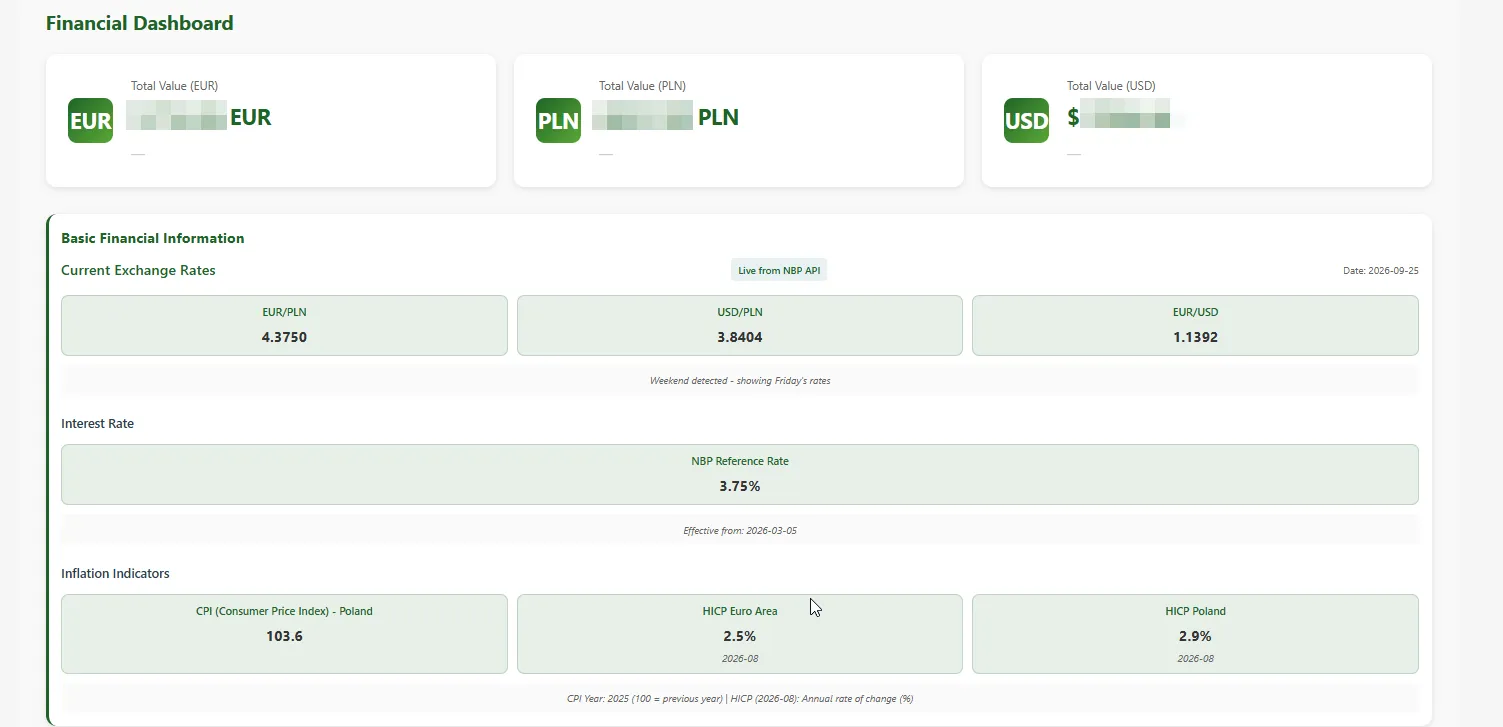
Totals in three currencies with exchange rates, interest rate and inflation -
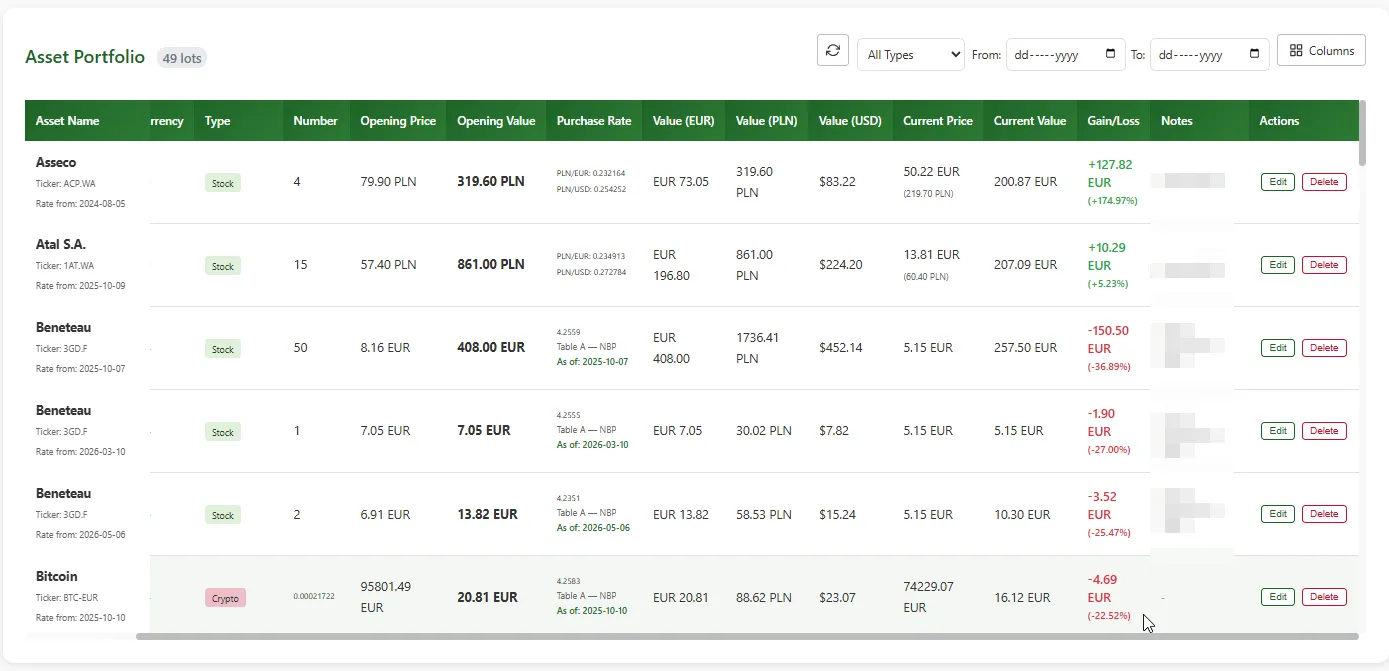
Every purchase lot with its own purchase-day exchange rate -
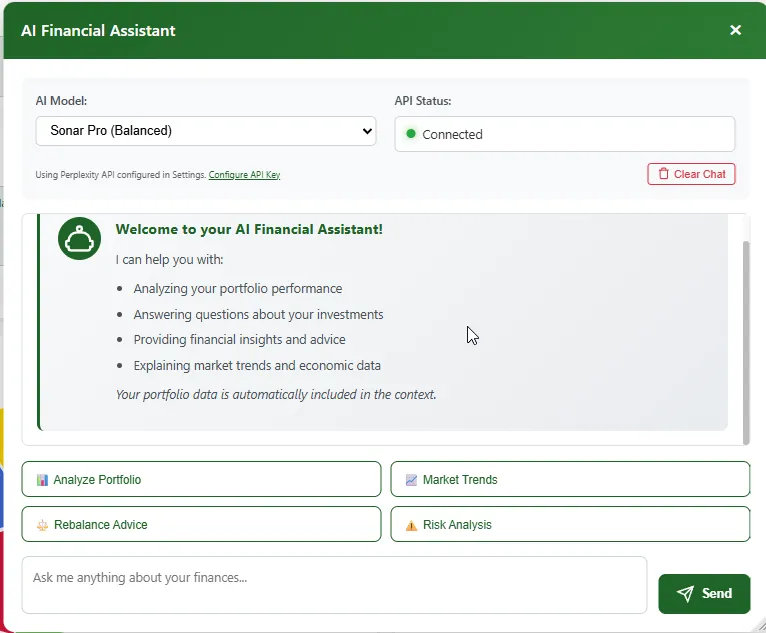
AI assistant that receives the portfolio as context -
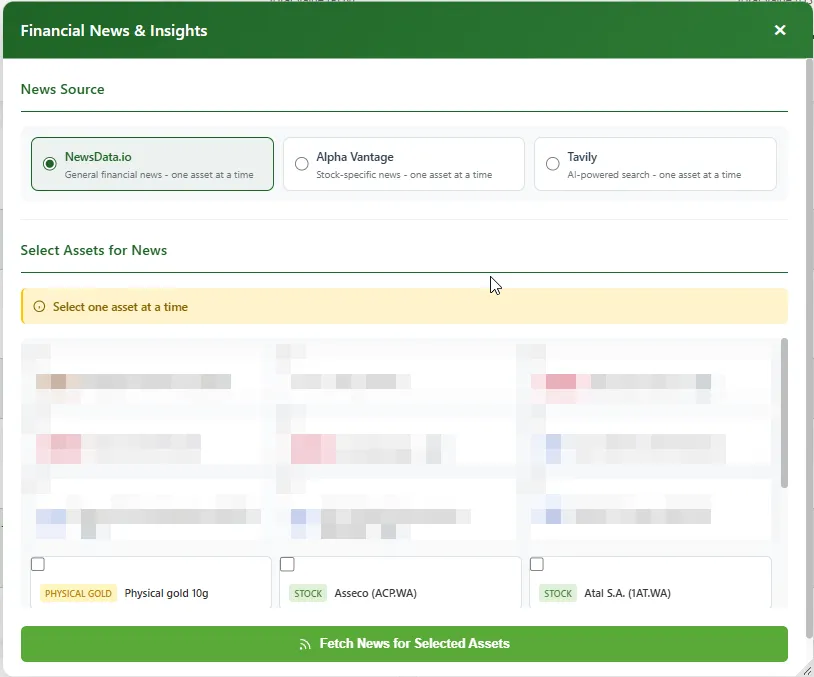
News for a chosen asset from NewsData.io, Alpha Vantage or Tavily